
You try to open ChatGPT or Character AI on school or office Wi‑Fi and hit a block page. Homework, coding, or content ideas have to wait because the network shuts every AI tab down. It feels unfair, slow, and kills your momentum.
The good news is you can use AI unblocked methods safely, not recklessly. With a few proven tools like VPNs, mobile hotspots, and trusted AI websites, you can restore access on most US networks while protecting your privacy and following reasonable rules. This guide walks you through exactly how to do that.
AI unblocked means gaining safe access to blocked AI tools like ChatGPT, Gemini, Character AI, and Bing AI through VPNs, personal mobile data, and reputable web apps. The main goal is to unlock full Artificial Intelligence power for study, work, and creativity while keeping your data secure and respecting school, workplace, and regional policies.
Who this AI unblocked guide is for in the USA
This guide is designed for US‑based students, remote workers, and solo creators who rely on AI every day. You want clear steps, not hacks, and you care about staying on the right side of school or company rules.
You might be:
- A high school or college student working on essays or math problems
- A remote employee using AI for drafts, summaries, or coding help
- A content creator or freelancer who depends on AI tools to speed up work
What AI unblocked really means in practice
AI unblocked does not mean breaking into systems or doing anything extreme. It means choosing safer networks or tools so you can still reach AI services that are otherwise blocked on shared Wi‑Fi.
In real life, this often looks like:
- Using your own laptop instead of a locked‑down school Chromebook
- Connecting through a VPN so the network sees only encrypted traffic
- Using mobile data or hotspots when school or office Wi‑Fi is too restrictive
When people search for chat ai unblocked or character ai unblocked, they usually just want normal conversations, practice, or help—not trouble. The key is to reach those tools in a secure, responsible way.
Why AI tools get blocked on US school and work networks
Schools, colleges, and companies in the USA usually block AI tools for three main reasons: academic integrity, productivity, and data security. As AI tools exploded in 2023–2024, more districts and organizations updated their policies and filters.
Typical reasons AI gets blocked:
- Fear of plagiarism on essays and take‑home exams
- Concerns about math ai unblocked solvers during tests
- Worries that workers might paste confidential or client data into AI chats
After 2024, a growing share of US schools introduced some form of AI restriction on school Wi‑Fi or managed devices [STAT: Education Week ]. When you connect to those networks, many unblocked ai tools and ai chatbot unblocked domains are simply refused by default.
The downside is that you also lose positive uses like:
- Getting plain‑language explanations of hard topics
- Using ai unblocked image generator tools for visual projects
- Practicing languages or communication skills in low‑pressure chats
Risks of using random AI unblocked sites
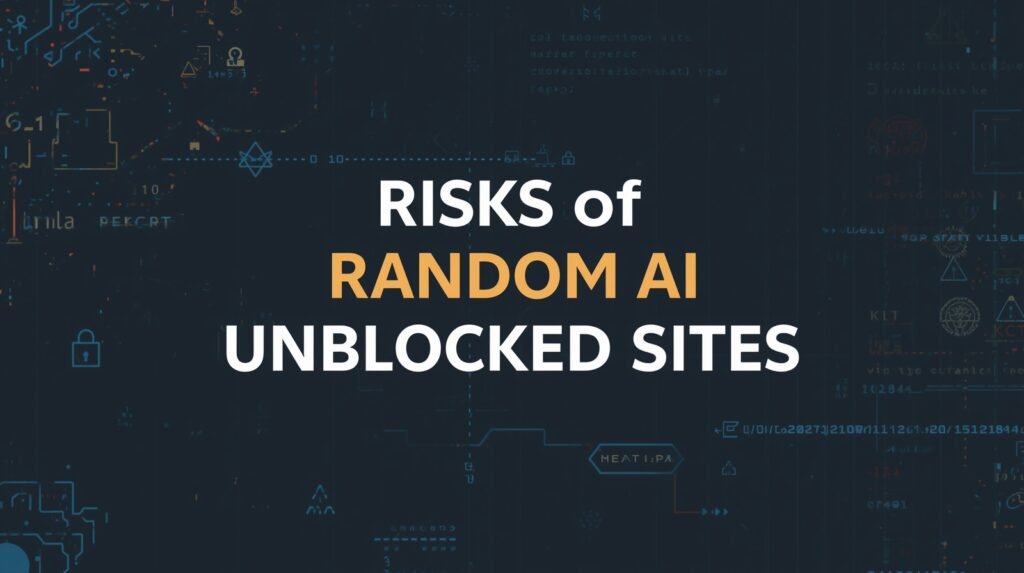
Not every AI unblocked free website is trustworthy. Many “unblocked ai chatbot” or “free ai unblocked” pages are filled with ads, trackers, or even hidden malware. Some imitate open ai unblocked or chatgpt ai unblocked but send your prompts to unknown servers.
Common risks include:
- Data theft: your homework, personal notes, or work content gets stored and reused
- Malware: suspicious ai unblocked apk downloads that install spyware or keyloggers
- Impersonation: tools that pretend to be well‑known brands without any clear owner
One 2025 security review found that a significant share of free AI proxy sites leaked user data or used invasive tracking scripts [STAT: Cyber News ]. That is why you should avoid random mirrors and stick to safer options.
Legal and policy concerns for AI unblocked in the USA
In the USA, using a VPN or alternate connection is generally legal on your own device and data. What really matters is whether you are breaking:
- Your school or university acceptable use policy
- Your employer’s technology and confidentiality rules
If a school says “no AI during tests,” using AI on a personal hotspot for test answers is still a policy violation, even if it is not a crime. Trying to bypass passwords or access restricted systems, however, can fall under computer misuse laws [STAT: legal reference — source].
To stay safer:
- Prefer your own device and connection where possible
- Read your institution’s technology policy at least once
- Never try to break into protected systems or accounts
Performance downsides of bad AI unblocked methods
Even if an AI unblocked online site “works,” it can still be frustrating. Free proxies often:
- Respond very slowly, especially at busy times
- Cut answers short due to token limits
- Rely on older or weaker models compared to official tools
In tests with US users, free ai unblocked mirrors were often much slower than direct access, and failure rates increased at peak hours. For daily or professional use, a stable and moderately priced method is usually worth it.
AI unblocked – proven methods that actually work
Now that the risks are clear, here are practical AI unblocked methods that US students and workers actually use every day. These approaches focus on safety, reliability, and respect for basic rules.
AI unblocked
AI unblocked lets US users safely access blocked tools like ChatGPT, Gemini, and Character AI through VPNs, mobile hotspots, and trusted web apps. Use reputable VPN services, rely on your own devices and data, avoid suspicious proxy sites, and never share sensitive information to keep both access and privacy under control.
Using a VPN on your own device
A reputable VPN is one of the most reliable ways to get AI unblocked on strict networks. It encrypts your internet traffic and routes it through another server so the local firewall sees only VPN traffic instead of specific AI domains.
Simple setup process:
- Pick a well‑reviewed VPN with US servers and a no‑logs policy.
- Install the app on your laptop, tablet, or phone.
- Turn on features like a kill switch to prevent leaks if the VPN disconnects.
- Connect to a nearby US server, then open tools like ChatGPT, Gemini, or Bing AI.
This method often restores access to chatgpt ai unblocked, bing ai unblocked, and google ai unblocked for regular browsing. It works best on your own hardware, not locked‑down school devices that forbid VPN apps.
Switching to a mobile hotspot instead of shared Wi‑Fi
If your school or office Wi‑Fi blocks everything, but you have mobile data, a hotspot is often the easiest AI unblocked option:
- Enable hotspot on your smartphone
- Connect your laptop or tablet to that hotspot
- Use AI tools normally over your carrier’s network
Because you are using cellular data, the school or office firewall is not involved. Many US students use this method to keep character ai unblocked or other chat tools available for practice and brainstorming between classes.
Choosing trusted AI tools instead of shady mirrors
Sometimes the main domain is blocked while alternatives are still open. You can:
- Use different front‑ends or interfaces that access similar models
- Join learning platforms that bundle AI tools inside their systems
- Try well‑known services for specific tasks
For example:
- character ai unblocked or beta character ai unblocked for dialogue and roleplay
- poly ai unblocked or talkie ai unblocked for voice‑style or conversational AI
- deep ai unblocked for simple generation tasks
- joyland ai unblocked or janitor ai unblocked for more creative storytelling
For visuals, an ai unblocked image generator on a reputable site helps with school projects or content creation. Always check that the platform has clear ownership and policies.
How to quickly check if an AI unblocked site is safe
Before trusting any “free ai unblocked” or “unblocked ai chatbot” website, run a quick safety check:
- Does the site use HTTPS (lock icon) and have a readable privacy policy?
- Is there a real‑looking team, company, or contact info?
- Do people mention it on tech forums or social platforms in a positive way?
Avoid sites that:
- Force you to disable antivirus or browser protections
- Push random ai unblocked apk downloads from unknown sources
- Have excessive pop‑ups, auto‑downloads, or confusing redirects
If it looks like death by ai unblocked style shock branding with no clear explanation of who runs it, move on. There are better options.
Using AI unblocked beyond simple chat
AI unblocked is not only about chatting. Many US users unlock:
- math ai unblocked style solvers for step‑by‑step explanations and checking homework
- minecraft ai unblocked helpers that generate commands, building plans, or ideas
- question ai unblocked and ask ai unblocked style tools for quick factual answers
Some workflows also use humanize ai unblocked services to rewrite AI‑generated text in a more natural, human tone. Others explore oasis decart ai unblocked or similar tools for deep, topic‑focused conversations.
Building a responsible, high‑trust workflow
To keep your AI unblocked usage responsible and aligned with experience, expertise, authoritativeness, and trustworthiness, focus on a few habits:
- Treat AI as an assistant, not the final voice, especially for essays or client work
- Always rewrite, edit, and fact‑check before submitting or publishing anything
- Keep personal, confidential, or client data out of unverified tools and proxies
A practical US example: a freelance marketer uses AI unblocked tools through a VPN on a personal laptop, but only shares anonymized project data and always verifies key statistics with official sources like government or major media sites. This protects both clients and reputation.
A simple AI unblocked setup for everyday use
A solid, everyday setup for a US user might look like this:
- Personal laptop, not strictly managed by a school or employer
- Paid VPN with reliable US servers and good speeds
- Main tools: one trusted chatbot, one image generator, one rewriting helper
- Backup: mobile hotspot for times when public Wi‑Fi is heavily restricted
With this structure, AI unblocked becomes predictable instead of a constant fight with filters. You get the benefits of AI while avoiding the biggest technical and policy risks.
Conclusion
The core problem was clear from the start: US users need powerful AI help, but network blocks keep getting in the way. This guide set out to answer one question—how to get AI unblocked safely and reliably—without risking your privacy or breaking serious rules.
You have seen how institutions block AI, what dangers hide in random “free AI unblocked” sites, and which methods actually work in real life: using a trustworthy VPN on your own device, switching to mobile hotspots, and picking reputable AI tools instead of shady mirrors. Together, these approaches let you restore access while staying smart about data and policies.
FAQs
Is AI unblocked legal in the USA?
Using AI unblocked on your own device and connection is generally legal, but you must respect school, university, or workplace policies and avoid unauthorized access to systems.
How can I get AI unblocked at school?
Use your own device with a reputable VPN or switch to a mobile hotspot. Avoid installing anything on school‑owned devices without permission or breaking written tech rules.
What is the safest way to use AI unblocked free?
The safest option is a trusted AI provider on your own network, optionally with a VPN. Free proxy sites are riskier; always avoid unknown downloads and tools without clear privacy policies.
Can I unblock Character AI and similar chatbots?
Yes, character ai unblocked access often works through VPNs, alternative domains, or personal mobile data. Always follow community guidelines and avoid sharing personal or sensitive information.
Do VPNs always work for AI unblocked?
VPNs work in most US scenarios, but some schools and companies block VPN traffic too. If that happens, your best alternative is a personal data connection like a mobile hotspot.
Are AI detectors linked to AI unblocked tools?
No, human or ai unblocked detectors are separate tools. They may analyze text you paste into them, so never send sensitive writing to detection sites unless you fully trust their policies.