
Artificial intelligence is redefining how developers write, debug, and ship software. Tools like Claude Code and Cursor are no longer optional—they are becoming core parts of modern development workflows. But when it comes to choosing between them, one question stands out:
Claude Code vs Cursor — which AI coding tool is actually better for developers?
Both tools promise faster coding, fewer bugs, and higher productivity. Yet they take very different approaches. Claude Code acts more like an intelligent coding agent that can understand entire codebases, while Cursor focuses on being a powerful AI-first code editor integrated into your workflow.
In this detailed comparison, you’ll discover how they perform in real-world scenarios, which one is better for your specific use case, and how to choose the right tool for your development needs.
Claude Code is better for deep reasoning, large codebase understanding, and agent-style automation, while Cursor excels at real-time coding inside an IDE with fast suggestions and seamless developer workflow integration. The best choice depends on whether you prioritize automation or speed.
What Is Claude Code?
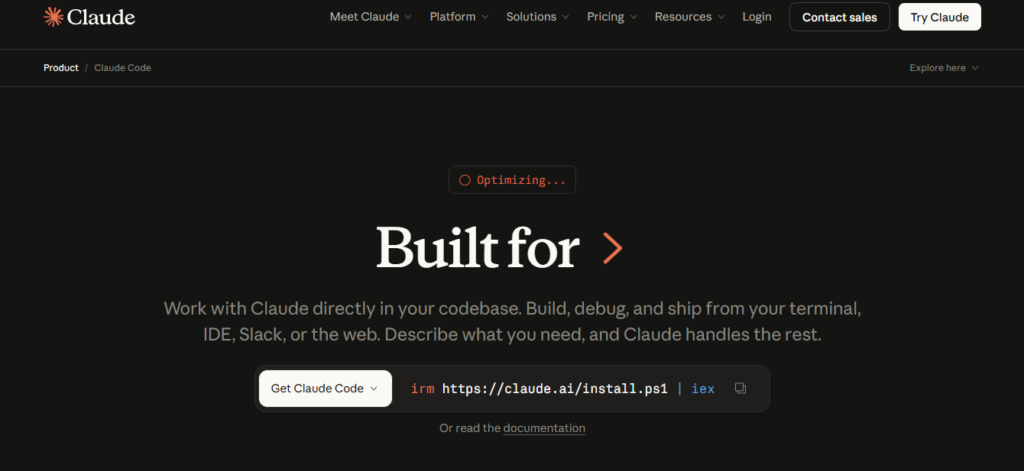
Claude Code is developed by Anthropic and represents a shift toward agent-based coding.
Instead of just suggesting code, Claude Code can:
- Read multiple files
- Understand project structure
- Suggest architecture improvements
- Refactor large sections of code
- Execute multi-step tasks
It behaves more like a code agent than a simple assistant.
Key Features of Claude Code
- Large context window (handles big projects easily)
- Advanced reasoning for complex logic
- Strong at debugging and code explanation
- CLI-based workflows for automation
- Ideal for backend and system-level development
Claude Code is especially powerful when working on large-scale applications, legacy systems, or multi-file refactoring tasks.
What Is Cursor AI?

Cursor is an AI-powered code editor designed to integrate directly into your development workflow. It combines the familiarity of traditional IDEs with powerful AI capabilities.
Cursor is heavily influenced by tools such as OpenAI models and works like an enhanced version of modern code editors.
Key Features of Cursor
- AI is integrated directly into the editor
- Real-time code suggestions
- Inline editing and refactoring
- Chat-based coding assistant
- Strong support for front-end and full-stack development
Cursor shines when developers want speed and convenience without leaving their coding environment.
Claude Code vs Cursor: Key Differences
| Feature | Claude Code | Cursor |
|---|---|---|
| Core Approach | AI agent | AI code editor |
| Best Use Case | Large projects, deep analysis | Fast coding, daily development |
| Workflow | CLI + automation | IDE-based |
| Context Handling | Extremely strong | Moderate |
| Speed | Slightly slower | Very fast |
| Learning Curve | Medium | Easy |
| Debugging | Advanced reasoning | Quick fixes |
| Real-time Suggestions | Limited | Excellent |
👉 Insight:
Claude Code focuses on thinking deeply, while Cursor focuses on working quickly.
Performance Comparison in Real Coding Scenarios
1. Python Development
For AI for coding Python, both tools perform well, but differently.
- Claude Code:
- Better at analyzing large scripts
- Strong for backend systems and data pipelines
- Handles complex logic efficiently
- Cursor:
- Faster for writing small scripts
- Ideal for quick automation tasks
- Great for iterative coding
👉 Verdict:
Use Claude for complex Python systems, Cursor for fast scripting.
2. JavaScript and Front-End Development
As an AI JavaScript generator, Cursor has a clear advantage.
- Cursor:
- Real-time UI code suggestions
- Fast React/Vue component generation
- Smooth integration into front-end workflow
- Claude Code:
- Better at explaining logic
- Useful for debugging complex UI issues
👉 Verdict:
Cursor wins for front-end speed, and Claude helps with logic clarity.
3. Debugging and Code Fixing
When asking “what is wrong with this code”, both tools respond well—but differently.
- Claude Code:
- Deep analysis
- Explains the root cause
- Suggests structural fixes
- Cursor:
- Quick fixes
- Inline corrections
- Faster iteration
👉 Verdict:
Claude is a coding fixer with reasoning; Cursor is a coding fixer with speed.
CLI vs IDE: Workflow Difference That Matters
This is one of the most important differences—and most developers ignore it.
Claude Code (CLI-Based Workflow)
- Works in the terminal
- Ideal for automation
- Can run multi-step coding tasks
- Feels like working with an AI engineer
Cursor (IDE-Based Workflow)
- Works inside the editor
- Real-time suggestions
- Visual and interactive
- Feels like coding with AI autocomplete
👉 Key takeaway:
- Choose Claude for automation and scale
- Choose Cursor for the daily coding workflow
Pricing and Plans Overview
Pricing plays a major role when choosing tools.
Claude Code
- Offers advanced tiers (including “Max” models)
- Better for heavy usage and large projects
- Token-based or subscription pricing.
- Check out more pricing details here, Plans & Pricing | Claude by Anthropic
Cursor
- Freemium model available
- Paid plans unlock better AI features
- More accessible for beginners
- Check out more pricing details here, Cursor pricing.
👉 Insight:
Cursor is easier to start with, but Claude may provide better value for advanced developers.
Claude Code vs Cursor vs Other AI Tools
Developers rarely use just one tool. It’s important to compare them with others like:
- GitHub Copilot
- Google Gemini
- OpenAI Codex
Where Claude Code Stands
- Best for reasoning and large context
- Strong AI agent capabilities
Where Cursor Stands
- Best developer experience
- Fastest workflow integration
👉 Reality:
There is no single winner. Each tool dominates a different area.
Real Developer Insights (What People Actually Prefer)
Across developer communities, the consensus is clear:
- Claude Code is preferred by:
- Backend developers
- System architects
- Engineers working on large codebases
- Cursor is preferred by:
- Front-end developers
- Freelancers
- Developers who want speed
Common feedback includes:
Claude Code
- “Feels like working with a senior engineer.”
- “Great for understanding big projects.”
Cursor
- “Super fast and smooth.”
- “Perfect for daily coding tasks.”
Pros and Cons Breakdown
Claude Code Pros
- Deep reasoning
- Handles large projects
- Strong debugging
- Agent-based automation
Claude Code Cons
- Slower for quick tasks
- Requires a learning curve
- Less interactive UI
Cursor Pros
- Fast and responsive
- Easy to use
- Great UI integration
- Perfect for rapid development
Cursor Cons
- Limited deep reasoning
- Struggles with large codebases
- Less powerful for architecture decisions
Final Verdict: Which One Should You Choose?
So, Claude Code vs Cursor — which one is better?
The answer depends entirely on your workflow.
Choose Claude Code if you:
- Work on large-scale applications
- Need deep analysis and reasoning
- Want an AI coding agent
Choose Cursor if you:
- Want fast, real-time coding assistance
- Prefer working inside an IDE
- Focus on productivity and speed
Best Strategy (Expert Insight)
Top developers don’t choose one—they use both.
- Use the cursor for daily coding and speed
- Use Claude Code for complex tasks and deep analysis
This hybrid approach gives you the best of both worlds.
Conclusion
The debate around Claude Code vs Cursor is not about which tool is better overall—it’s about which tool is better for your specific workflow.
Claude Code represents the future of AI coding agents, capable of understanding entire systems and solving complex problems. Cursor represents the evolution of AI-powered development environments, designed to make coding faster and more efficient.
As AI continues to evolve, developers who learn to use these tools effectively will gain a significant competitive advantage.
The smartest move today is not choosing sides—but mastering both.
FAQs
1. Is Claude Code better than Cursor for coding?
Claude Code is better for large projects and deep code analysis, while Cursor is better for fast coding and real-time suggestions inside an editor.
2. Which is faster, Cursor or Claude Code?
Cursor is generally faster because it provides instant suggestions within the IDE, whereas Claude Code focuses more on detailed reasoning.
3. Can Cursor replace Claude Code?
No, Cursor cannot fully replace Claude Code because it lacks advanced agent-based capabilities and deep multi-file reasoning.
4. Is Claude Code good for beginners?
Claude Code is more suitable for intermediate to advanced developers, while beginners may find Cursor easier due to its user-friendly interface.
5. Which tool is better for large codebases?
Claude Code is better for large codebases because it can process and analyze more context compared to Cursor.
6. Does Cursor support AI code generation?
Yes, Cursor supports AI code generation with real-time suggestions, making it ideal for fast development workflows.
7. What is the best AI coding tool overall?
There is no single best tool. Claude Code is best for deep reasoning, while Cursor is best for speed and productivity.