For more than 30 years, PDFs have been the universal file format—reliable, static, and often frustrating to work with. Copying text from a locked PDF, searching through hundreds of pages, or extracting data felt like wrestling with an immovable block of digital stone.
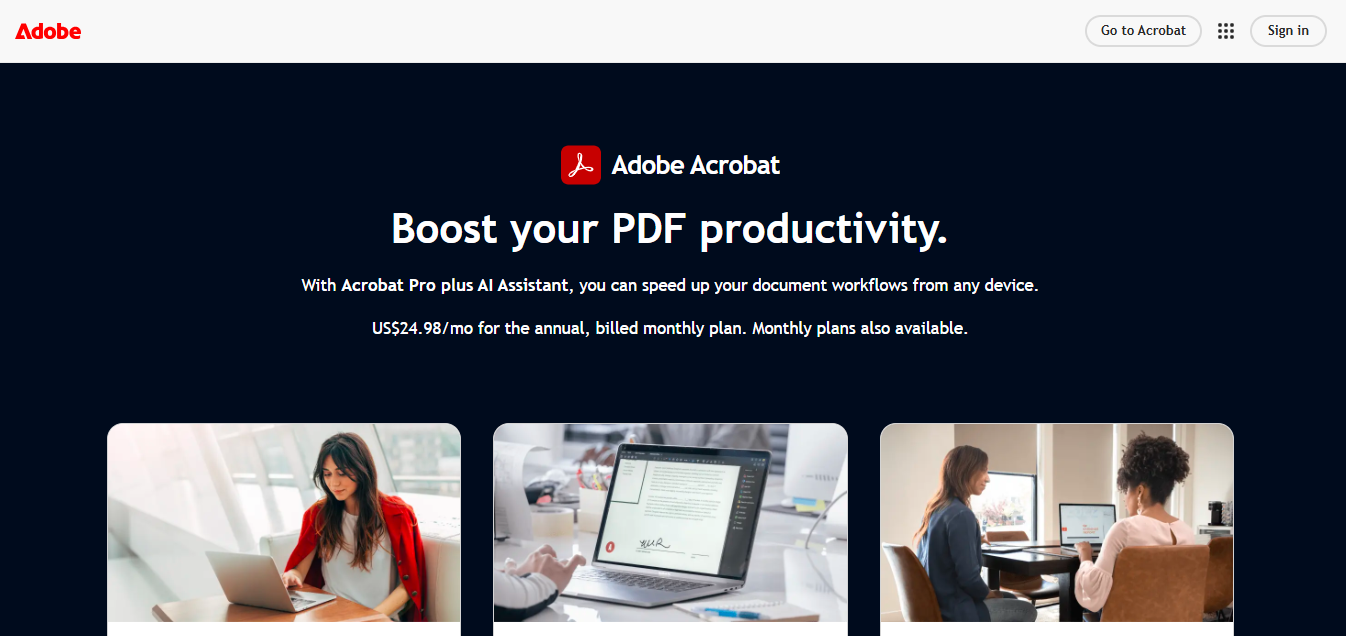
That era is ending. In August 2025, Adobe launched Adobe Acrobat Studio, a complete reinvention of the PDF experience powered by artificial intelligence. Adobe Acrobat Studio is an AI-powered document platform designed to transform traditional PDFs into intelligent workspaces. It uses artificial intelligence to summarize documents, extract data, generate citations, and assist with collaboration, helping users analyze and manage complex files faster than traditional PDF tools.
This post takes a deep dive into what Acrobat Studio is, its key Artificial Intelligence features, how it compares to traditional tools, and what its launch means for the future of productivity.
What Is Adobe Acrobat Studio?
Adobe Acrobat Studio is the company’s new AI-powered platform that transforms PDFs into dynamic, interactive workspaces.
Unlike Acrobat DC or Reader, which focus on viewing and basic editing, Acrobat Studio introduces:
- AI assistants that can summarize, search, and analyze documents.
- Research tools for citations, references, and originality checks.
- Collaboration spaces where teams can annotate, discuss, and co-create inside a single PDF.
- Smart integration with Adobe’s creative ecosystem (Photoshop, Illustrator, Firefly).
In Adobe’s own words, Studio is “the next chapter in the PDF story—built for AI-first productivity.”
Key AI Features of Acrobat Studio
Acrobat Studio isn’t just another update; it’s a paradigm shift. Here are the standout features that make it different:
1. AI Assistant for PDFs 🤖
- Ask natural-language questions about a document.
- Summarize long reports or research papers in seconds.
- Highlight key insights, deadlines, or action items automatically.
Example: Upload a 200-page government report and ask: “What are the top 3 climate policies mentioned?” The AI finds and highlights them instantly.
2. Integrated Citations & Research 📖
- Perfect for students, academics, and writers.
- Built-in citation tools generate references in APA, MLA, Chicago formats.
- AI checks originality and plagiarism risks.
This makes Acrobat Studio a direct competitor to research tools like Zotero or Grammarly’s new AI agents.
3. Collaboration Tools 👥
- Shared “document hubs” for real-time team collaboration.
- AI-powered comment threads that summarize discussions.
- Automated “meeting-style” minutes generated from annotations.
4. Data Extraction & Formatting 📊
- Pulls structured tables and datasets from PDFs.
- Converts scanned PDFs into editable, searchable content with AI OCR.
- Exports directly to Excel, Google Sheets, or other apps.
5. Cross-Tool AI Integration 🔗
- Connects seamlessly with Adobe Firefly (AI image generation).
- Direct links to Illustrator & Photoshop for design workflows.
- Possible third-party integrations in the pipeline.
6. AI Document Insights
One of the most powerful additions in Acrobat Studio is its ability to analyze entire documents and highlight critical insights.
For example, the AI assistant can:
• detect important clauses in contracts
• identify key data points in reports
• surface deadlines or action items
Instead of manually scanning long PDFs, users can quickly understand the document’s most important information.
7. AI Workflow Automation
Acrobat Studio introduces early automation features that simplify document workflows.
Examples include:
• auto-generating summaries after uploading PDFs
• converting scanned documents into editable content
• automatically organizing research files
This turns Acrobat Studio from a simple reader into a document productivity engine.
How Acrobat Studio Benefits Different Users

Adobe didn’t build Studio for one audience—it’s a multipurpose platform.
- Students & Researchers: Faster citations, originality checks, and instant summaries.
- Professionals: Contract reviews, compliance checks, and quick analysis of long documents.
- Creatives: Collect research, brainstorm with AI, and connect to creative apps.
- Teams: Turn reports into living workspaces with AI-generated recaps of feedback.
The takeaway: Acrobat Studio turns PDFs into actionable intelligence rather than dead-end files.
Acrobat Studio vs Traditional PDF Tools
| Feature | Old Acrobat/Reader | Acrobat Studio | Competitors (Notion AI, ChatGPT, Grammarly AI) |
|---|---|---|---|
| Document Viewing | ✅ | ✅ | ✅ |
| Basic Editing | ✅ | ✅ | ❌ |
| AI Summaries | ❌ | ✅ | ✅ |
| Citations & Research | ❌ | ✅ | Partial |
| Collaboration Hub | ❌ | ✅ | ✅ |
| Data Extraction | Limited | ✅ | Partial |
| Creative App Integration | ❌ | ✅ | ❌ |
👉 The key differentiator: Acrobat Studio positions itself as a multi-tool productivity hub, whereas others are still single-function AI assistants.
Why Adobe’s AI Shift Matters
Adobe is doing more than upgrading software—it’s making a strategic move into AI-powered productivity, directly competing with Microsoft Copilot, Google Workspace with Gemini, and Notion AI.
This signals:
- The end of static PDFs as “dead-end” documents.
- The rise of intelligent workspaces where AI adds value in real time.
- The blurring of lines between creative, business, and academic workflows.
Real-World Workflow Example
Imagine a legal professional reviewing a 150-page contract.
With Acrobat Studio:
- Upload the document.
- Ask the AI assistant to summarize key clauses.
- Extract payment terms into a spreadsheet.
- Share a collaborative workspace with colleagues.
What normally takes hours can be reduced to minutes.
Challenges & Limitations
Of course, Acrobat Studio isn’t perfect. A balanced review shows:
- Pricing – Expect premium subscriptions; may be costly for casual users.
- Learning Curve – New interface + AI workflows may intimidate traditional users.
- Privacy Concerns – AI assistants processing sensitive documents raises questions.
- Offline Limitations – Heavy reliance on cloud + AI models.
Adobe must address these to ensure wide adoption.
Future of AI in Document Management
Acrobat Studio is just the first step. Expect to see:
- Voice-to-PDF Assistants – dictate and edit hands-free.
- Automated Reports – upload raw data, get polished reports instantly.
- Real-time Translation – PDFs that switch languages seamlessly.
- Smarter AI Memory – assistants that remember your context across documents.
If Adobe executes well, Acrobat Studio could become the standard “operating system” for documents, not just PDFs.
Our Take: Why Acrobat Studio Matters
From a productivity perspective, Adobe’s move into AI-powered document analysis is significant.
Traditional PDF tools focused mainly on editing and viewing files. Acrobat Studio instead treats documents as data sources that AI can interpret and analyze.
If the platform continues evolving, it could become one of the most important productivity tools for research, legal work, and business documentation.
Conclusion
Adobe Acrobat Studio is more than an upgrade—it’s a glimpse into the future of intelligent productivity.
By blending AI with the world’s most universal document format, Adobe has turned the once-static PDF into a living, collaborative, and intelligent workspace. Whether you’re a student, professional, or creative, Studio unlocks a new way to work smarter, faster, and more effectively.
Final thought: PDFs are no longer the end of the conversation—they’re the beginning.
FAQs
Q1: What is Adobe Acrobat Studio?
Adobe Acrobat Studio is Adobe’s new AI-powered workspace that transforms PDFs into collaborative, intelligent productivity hubs.
Q2: How is Acrobat Studio different from Acrobat DC?
Unlike Acrobat DC, Studio includes AI features like smart summaries, citations, collaboration spaces, and data extraction.
Q3: Does Acrobat Studio use generative AI?
Yes. Studio leverages generative AI for summarization, research, and integration with Adobe Firefly.
Q4: Who should use Acrobat Studio?
Students, professionals, researchers, creatives, and teams that work heavily with documents.
Q5: Does Adobe Acrobat Studio require internet access?
Yes. Many AI features rely on cloud processing, so an internet connection is required for summaries, data extraction, and AI analysis.
Q6: Can Acrobat Studio analyze scanned PDFs?
Yes. Its AI OCR system converts scanned PDFs into searchable and editable documents.