Artificial intelligence has moved from novelty to infrastructure, sitting inside marketing, hiring, and everyday decisions. But models are complex and fail quietly — a small drift in accuracy or a creeping bias can cause real damage before anyone notices. Monitoring is how you notice. The right tools track how a model is performing, flag anomalies as they happen, and give you the information to fix them before they become expensive.
Whether you are running AI in finance or healthcare, or you are a solo developer shipping a side project, the same principle holds: you cannot improve what you cannot see. This guide covers what these tools do, the ones worth knowing in 2025, and how to pick and set one up.
What AI monitoring tools actually do
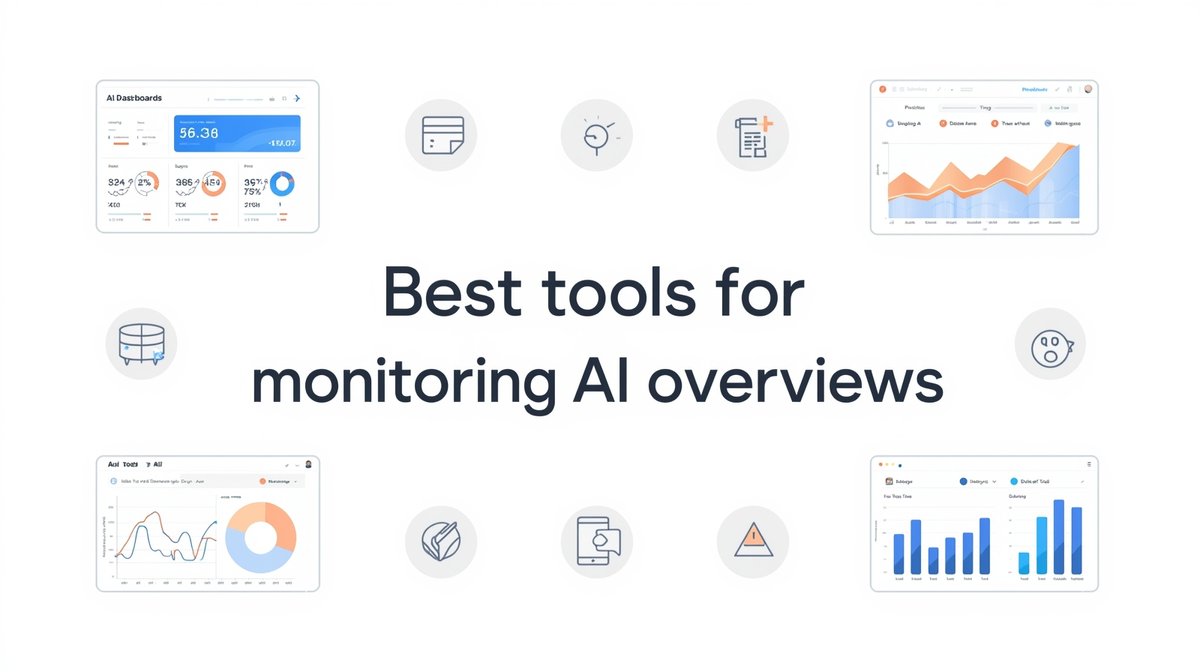
At their core, these are platforms that let you watch a model’s behavior and step in when it drifts. They surface real-time dashboards so you can see outputs and metrics at a glance, detect errors and anomalies (including bias creeping into results), and measure the numbers that matter — accuracy, precision, recall, and whatever KPIs fit your use case. Good ones send alerts the moment performance dips, and they plug into your existing ML pipelines, APIs, and cloud services rather than forcing you to rebuild around them.
The reason to bother is straightforward. Unmonitored AI errors cost money and reputation; monitoring supports ethical and regulatory compliance; it points you toward the tweaks that improve a model; and it gives stakeholders a transparent view of what the system is doing. That is a lot of value from what is essentially a good dashboard and a sensible alert.
The tools worth knowing in 2025
The right choice depends on your use case and scale, but a handful of tools show up again and again. Weights & Biases is the go-to for experiment tracking, model versioning, and shared dashboards, which makes it popular with teams. Neptune.ai is prized for flexible dashboards that integrate with a range of ML frameworks. TensorBoard visualizes training progress and metrics and is the natural fit if you are in the TensorFlow world. And if what you actually mean by “AI Overviews” is Google’s AI-generated search summaries, the Semrush AI toolkit tracks where and how those appear for your keywords so you can adjust your content strategy.
For production monitoring specifically, three more come up constantly. Prometheus paired with Grafana is the workhorse combination for infrastructure and AI metrics, marrying data collection with strong visual reporting. Seldon Deploy is built for models in production, with continuous monitoring and performance tracking. And Fiddler AI leans into explainability and fairness, which matters most when you need to justify why a model made a given decision.
Matching the tool to your situation
Whatever the tool, modern monitoring is really about three things working together: analytics, performance tracking, and optimization, measured against metrics like accuracy and precision, bias and fairness, and model drift over time. The last one — drift — is the sneaky one, since a model trained on last year’s data can slowly become wrong without any single dramatic failure.
Fit matters more than raw power. A startup usually wants something quick to deploy with clean visualizations — Neptune.ai or Grafana fit that bill. An enterprise with governance and compliance obligations leans toward Fiddler AI or Seldon Deploy. And content teams checking AI-generated text, images, or video are better served by tools built for quality assurance on outputs rather than model internals. The broad split looks like this:
| Feature | Startups | Enterprises |
|---|---|---|
| Cost | Low-cost/free | Enterprise licensing |
| Scalability | Moderate | High |
| Customization | Basic | Advanced |
| Integration | Limited | Full API/cloud integration |
Strip it all back and every monitoring setup rests on the same three building blocks: dashboards to see what is happening, alerts to catch anomalies in real time, and optimization tools that help tune the model back toward accuracy.
Setting it up and keeping it honest
Getting started is a short sequence. Define the KPIs that matter for your models, pick a platform that fits your infrastructure, configure dashboards for the metrics you care about, switch on alerts for the critical thresholds, and review the reports on a regular cadence so patterns and problems actually surface. None of it is complicated, but skipping the review step is where most teams quietly lose the benefit.
How reliable the monitoring itself is comes down to a few things: the quality of the data feeding it, because garbage in means garbage out; the configuration of your alerts and thresholds, since a badly set threshold will miss the anomaly you most needed to catch; and continuous validation, testing the model often rather than assuming yesterday’s accuracy still holds. An AI optimizer helps here too, automating hyperparameter tuning, retraining, and evaluation so a model keeps pace with shifting data instead of decaying in place.
The payoff shows up across industries. In finance, monitoring keeps credit-scoring models honest and helps catch fraudulent approvals before they clear. In healthcare, it tracks diagnostic accuracy and flags unusual outputs before they reach a patient. In marketing, it watches recommendation models and surfaces the drops in engagement that signal a model going stale. In each case, the tool is not the point — the visibility is.
The bottom line
Good monitoring is what separates AI you can trust from AI you are hoping stays lucky. Pick a tool that matches your scale, wire up dashboards and alerts around the metrics that matter, and actually look at the reports. Do that and you catch the drift, the bias, and the errors while they are still small and cheap to fix.
FAQs
What is an AI monitor?
It’s a tool that tracks a model’s performance over time, detects anomalies and bias, and surfaces the insights you need to keep the model accurate and reliable.
How do you track AI Overviews?
For model outputs, use dashboards, analytics, and real-time alerts. If you mean Google’s AI Overviews in search, tools like the Semrush AI toolkit track where they appear for your keywords.
Which monitoring tool is best?
It depends on your needs. Neptune.ai or Grafana suit startups wanting quick setup; Fiddler AI or Seldon Deploy suit enterprises needing governance and scale; TensorBoard fits TensorFlow projects.
How accurate is AI monitoring?
It’s only as good as its inputs and setup. Clean data, well-configured alert thresholds, and continuous validation are what make the monitoring trustworthy.
What is an AI optimizer?
A tool that automatically adjusts a model’s parameters — tuning, retraining, and evaluating — to keep accuracy and output quality high as the underlying data changes.