Claude can now open your old chats by itself. On a paid plan, switch on Search and reference chats under Settings > Your Claude, then ask something like “What did we decide about the pricing page last week?” Claude runs a search across your past conversations, and the search shows up in the chat so you can see what it pulled.
That changes the advice this page gave in March 2026, when the honest answer was “copy and paste.” Copy and paste still matters, though. Chat search is paid only, it stops at project walls, and nothing (not a share link, not a data export) moves a conversation into a different Claude account. Below is what works in each situation, checked against Anthropic’s help pages on 28 October 2026.
Ask Claude to search your past chats
- Open Settings and go to Your Claude. On the older layout, the switches live under Settings > Memory.
- Turn on Search and reference chats.
- Start a new chat and refer to the old one in plain words: “Let’s continue where we left off with the cover letter” or “What did we discuss about my landlord’s email?”
- Watch for the search step in the reply. If Claude found the wrong chat, name a detail only that chat contains and ask again.
Specific beats vague. “Find the chat where we compared two Toyota quotes” gives the search something to match; “remember what we talked about?” doesn’t.
| Plan | Searches past chats | Memory from chats |
|---|---|---|
| Free | No | On by default |
| Pro and Max | Yes | On by default |
| Team and Enterprise | Yes | Only if the owner allows it, then each member opts in |
Source: Anthropic’s memory and chat search article. Search and memory are two different things. Search fetches a specific old conversation when you ask. Memory is a running set of notes Claude keeps about you and brings into every chat without being asked.
Where Claude won’t look
Most “Claude can’t find my chat” complaints come down to one of these walls:
- Projects are sealed. From a chat outside any project, Claude searches your other non-project chats. From inside a project, it only searches that project. A chat in Project A is invisible from Project B.
- Incognito chats are gone. Chats started with the ghost icon aren’t saved to history or memory, so search can’t find them later.
- Memory can be off for one chat. The + button in the message box has a Memory option for the current conversation only.
- Cowork running on your own computer doesn’t use memory. Anthropic says memory is shared with Cowork sessions in the cloud, not local ones.
So if the old chat lives in a project, open that project first and ask from there.
Use a Project when the context should always be there
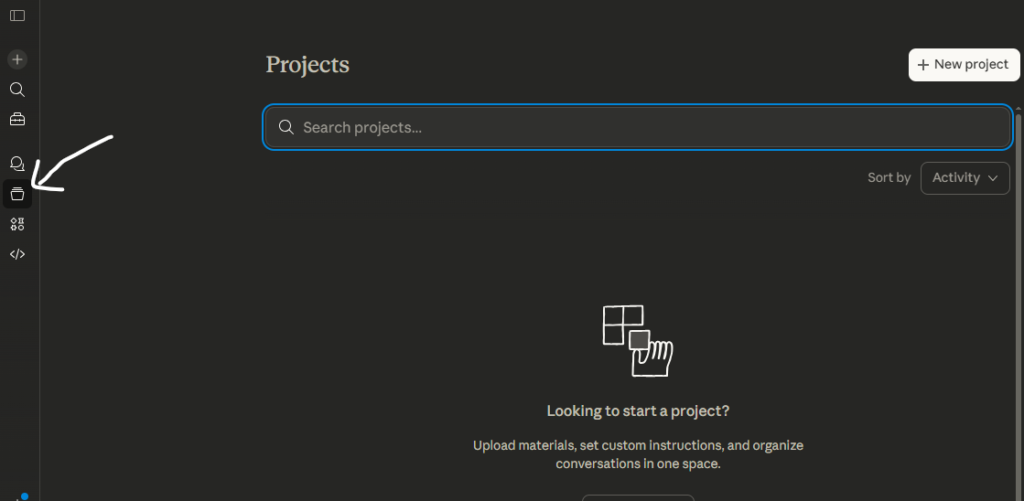
Search is for “go find that one conversation.” A Project is for work you return to every week: a job hunt, a thesis, a small business. Each project has its own memory, its own files and its own instructions, and every chat started inside it can draw on them.
- Click Projects in the left sidebar and create one.
- Add instructions (“I’m applying for nursing jobs in Ohio; keep cover letters under 300 words”).
- Upload the files Claude should always have, or paste a summary of an older chat into the project knowledge.
- Start every related chat from inside the project.
To bring in context from a chat that started outside the project, ask that chat for a summary and add the summary to the project knowledge.
Check what Claude remembers about you
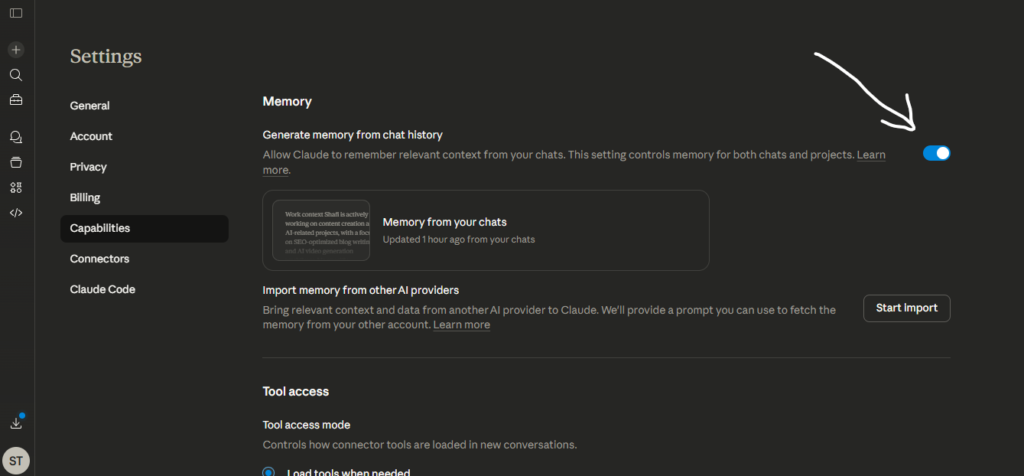
The screenshot above is from March 2026. The control has since moved: it’s now Memory from chats under Settings > Your Claude, with a Manage button next to “Your memory.” In the newer version, memory is grouped into topics you can open, edit or delete one by one. You can also just tell Claude in a chat to remember, change or forget something.
Memory reached the Free plan on 2 March 2026, Engadget reported. Turning it off gives you a choice: pause it and keep what’s stored, or delete it. Sensitive subjects have their own switch, “Include sensitive topics in memory,” in the same settings area.
Moving a long chat into a fresh one
Long conversations get slow and eat into usage limits, so people often want a clean chat that still knows everything. On a paid plan with search on, you can open a new chat and say “Continue the project from my chat titled X.” On Free, or when you want control over exactly what carries over, use a handoff summary. Paste this as the last message in the old chat:
“Write a handoff note for a new chat: the goal, decisions made, facts and numbers we settled on, open questions, and the next step. Keep it under 250 words.”
Copy the result into the new chat with one line on top: “This is where we left off.” It’s cheaper than pasting the whole transcript, and you get to delete anything Claude shouldn’t carry forward.
Can you move a chat to another Claude account?
Not with any built-in tool. It’s one of the most common questions in the searches that bring people to this page. Here’s why each obvious route fails:
- Share link: anyone with a public link sees a snapshot of the chat as it was when you shared it. They can read it. They can’t reply to it.
- Share with specific people: Anthropic’s article says invited people can’t continue the chat, copy it to their account, or download its files.
- Data export: Settings > Privacy > Export data emails you a download link that expires after 24 hours. The export help page says exported data can’t be imported into another personal account.
What does work is the handoff summary from the previous section. Write it in the old account, sign in to the new one, and paste it into a new chat (or into a project there). You lose the chat itself, but the context comes across. Files you attached earlier have to be uploaded again, since shared snapshots don’t include them either.
Finding an old chat yourself
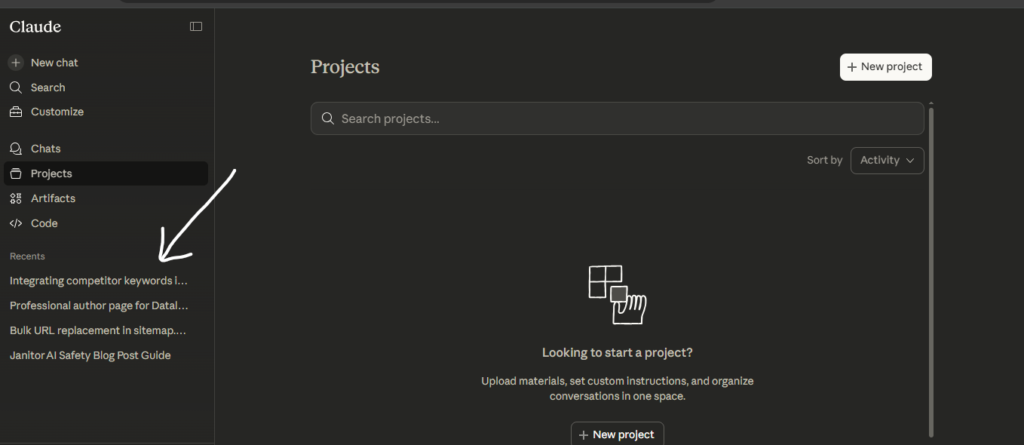
Every saved chat is listed in the left sidebar on any device signed in to the same account, and the sidebar search finds a chat by keyword. To see which chats you’ve made public, go to Settings > Privacy and choose Manage next to Shared chats; Unshare there revokes the last snapshot. Team and Enterprise users can share only inside their organization.
Claude Code: resume, continue and branch
Claude Code keeps its own sessions, tied to the folder you ran it in, and they’re separate from your claude.ai chat list. The commands, from the sessions docs:
| Command | What it does |
|---|---|
claude --continue |
Reopens the most recent session in the current folder |
claude --resume |
Opens a picker of past sessions; Ctrl+A widens it to every project on the machine |
/resume |
Switches to another session from inside the one you’re in |
/branch or --fork-session |
Copies the conversation so you can try another approach and keep the original |
/export |
Saves the conversation as text you can paste elsewhere |
Name a session with /rename and you can come back to it with claude --resume plus that name. Transcripts are kept for 30 days by default. If you’re choosing a coding tool in the first place, see our Claude Code guide, Claude Code vs Cursor and whether Claude beats ChatGPT for coding.
Coming from ChatGPT
Anthropic’s import memory page walks you through bringing what another assistant knows about you into Claude’s memory. For a single important ChatGPT conversation, the handoff summary above works just as well: write it in ChatGPT, paste it into a Claude project.
One privacy habit before you turn everything on: memory and search mean old chats can surface in new ones. If a conversation held something you wouldn’t want resurfacing, use an incognito chat for that kind of thing next time, or delete the chat. We look at how other assistants handle stored chats in reviews such as our Venice AI safety check.
FAQs
Can Claude reference other chats?
Yes, on Pro, Max, Team and Enterprise plans. Turn on “Search and reference chats” under Settings, Your Claude, then ask about the old conversation in plain words. Free accounts get memory but not chat search.
How do I make Claude remember a previous chat?
On a paid plan, ask Claude to find it (“continue where we left off with my budget”). On Free, ask the old chat for a short handoff summary and paste it into the new one, or keep the work inside a Project.
Why can’t Claude see my other chats?
Search may be switched off, you may be on the Free plan, or the chat sits in a different project. Searches from inside a project stay inside that project, and incognito chats are never saved.
Can I continue a Claude chat on another account?
Not directly. Shared links and invites are view only, and Anthropic says exported data can’t be imported into another personal account. Copy a summary from the old account and paste it into a new chat on the other one.
How do I resume a previous session in Claude Code?
Run claude --continue to reopen the latest session in the current folder, or claude --resume to pick from a list. Inside a session, /resume switches to another one and /branch makes a copy.
Does Claude have memory on the free plan?
Yes. Memory from chats is on by default for Free, Pro and Max accounts on the web, desktop and mobile apps. Searching old chats on request is the part that needs a paid plan.